 Swale
SwaleMindful Delays
5–120 second breathing pause or type-to-unlock before opening distracting apps. A moment of friction that changes everything.
A beautiful, minimalist Android launcher that keeps your useful apps fast and your home calm — and adds a mindful pause only before the feeds that pull you in. Built by one developer who wanted a phone on his own terms.
100% free
No ads
No data sold
The Science
Social media feeds are designed to hijack your attention. Swale puts a small, deliberate pause in front of them using “Progressive Friction”—so opening them stays a choice, while the useful apps stay fast.
🔒 Your Habits Stay On Your Phone. No accounts. No cloud sync. No data sold. Anonymous crash reporting only.
How It Works
Replace your launcher
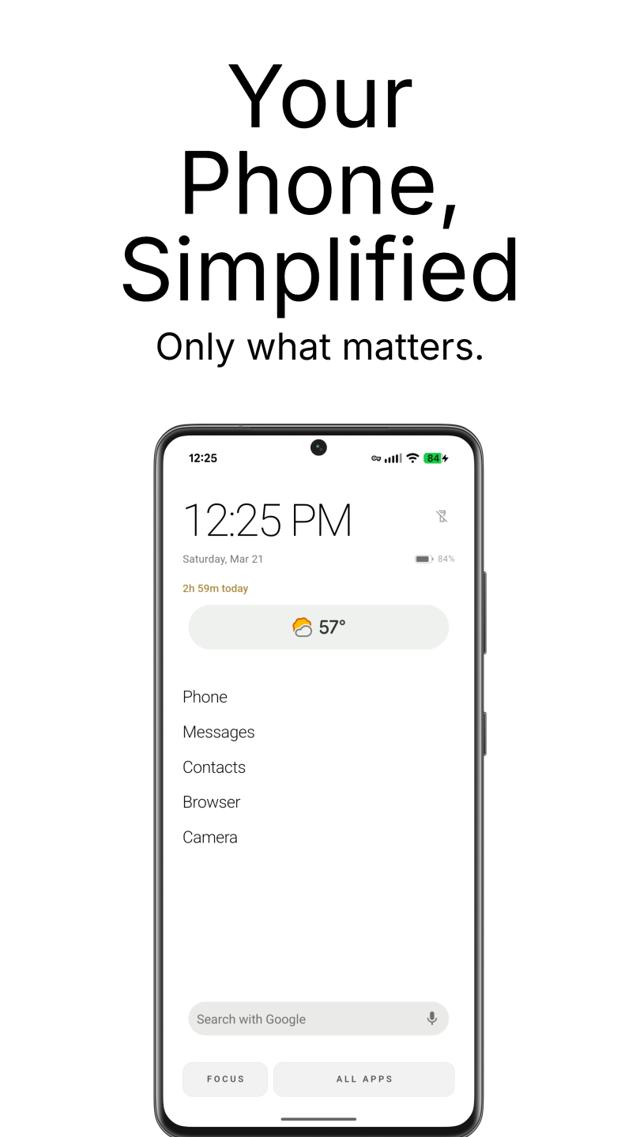
Set Swale as your home screen. You see only the time, date, and the few apps you choose to keep.
Feel the pause
Tap a distracting app and Swale shows a breathing countdown. Impulse becomes a choice — every time.
Watch the data shift
Your screen time drops. Your streak grows. Your phone becomes a tool you reach for, not a slot machine.
See It In Action
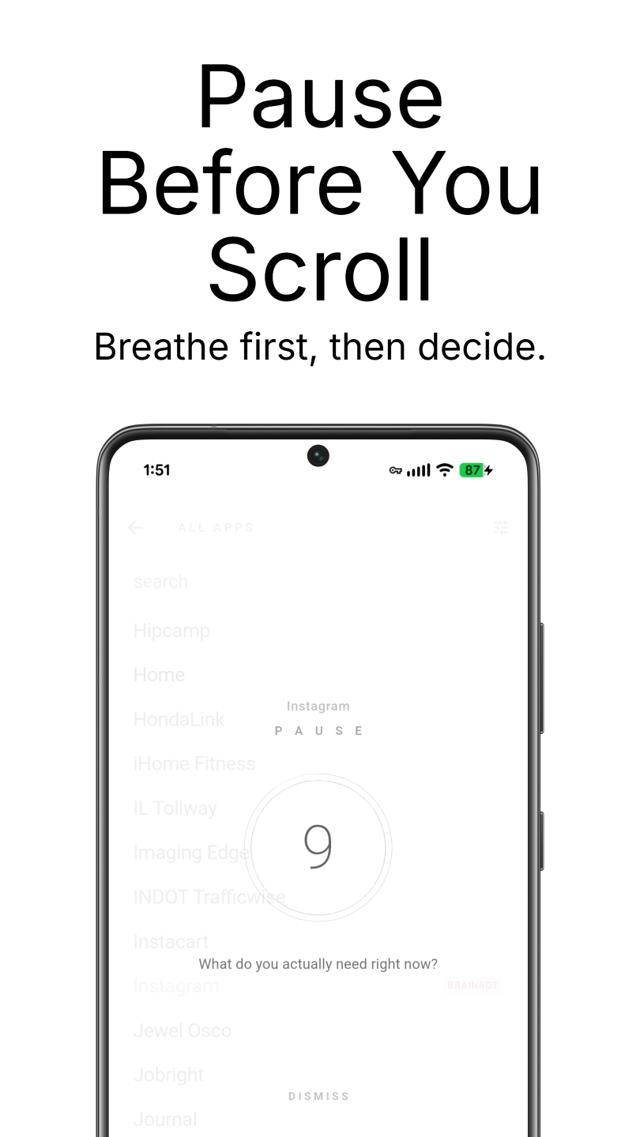
Pause Before You Scroll
Breathe first, then decide.
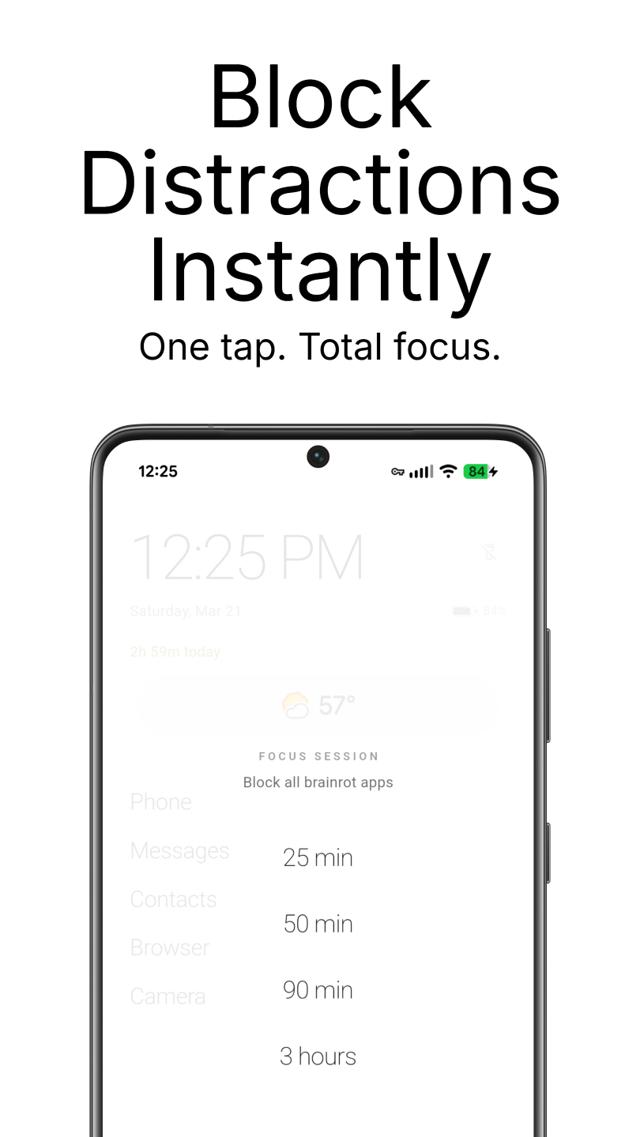
Block Distractions Instantly
One tap. Total focus.
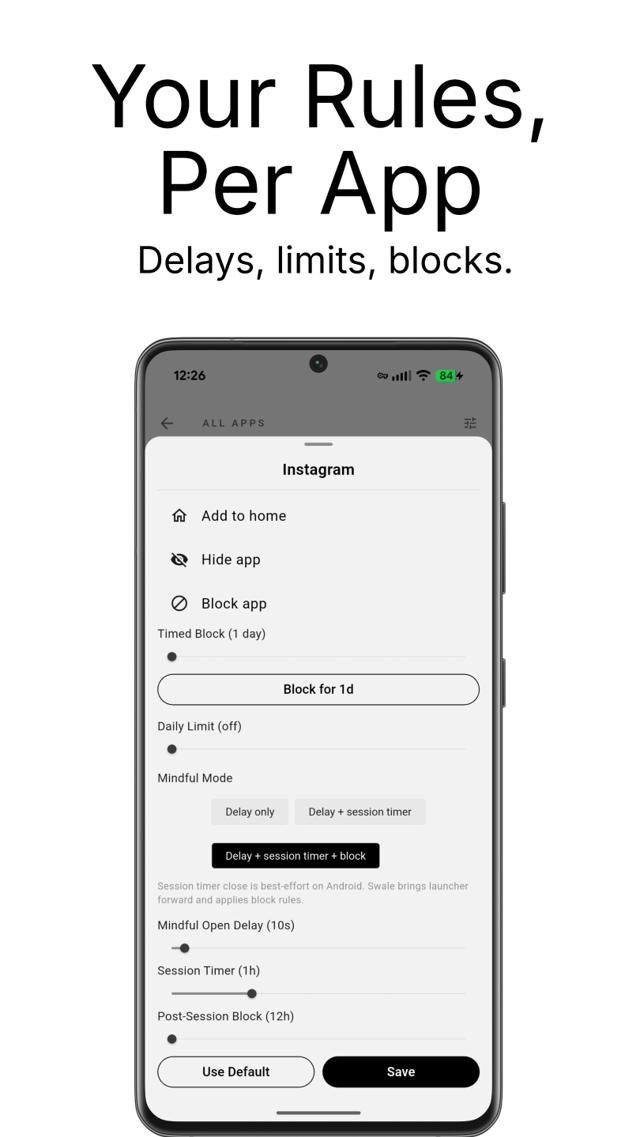
Your Rules, Per App
Delays, limits, blocks.
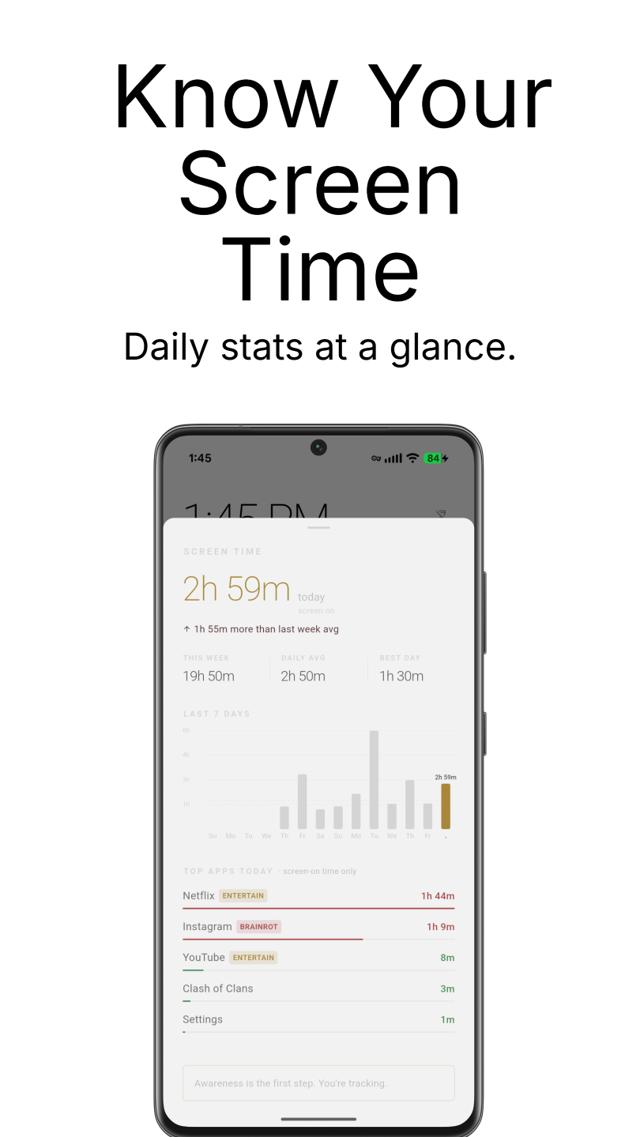
Know Your Screen Time
Daily stats at a glance.
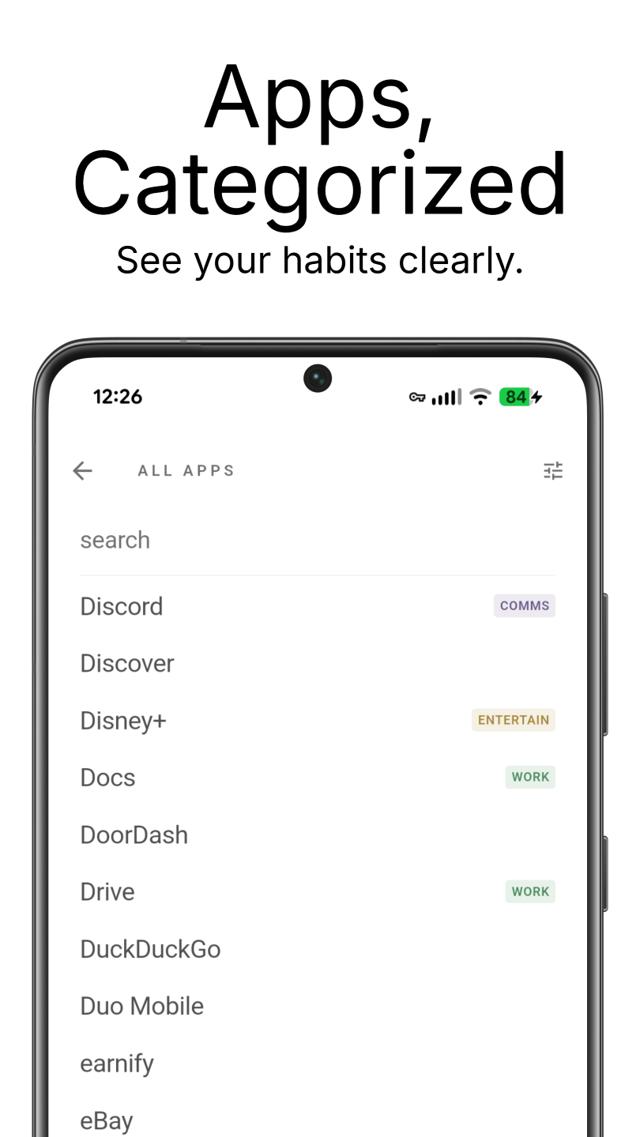
Apps, Categorized
See your habits clearly.
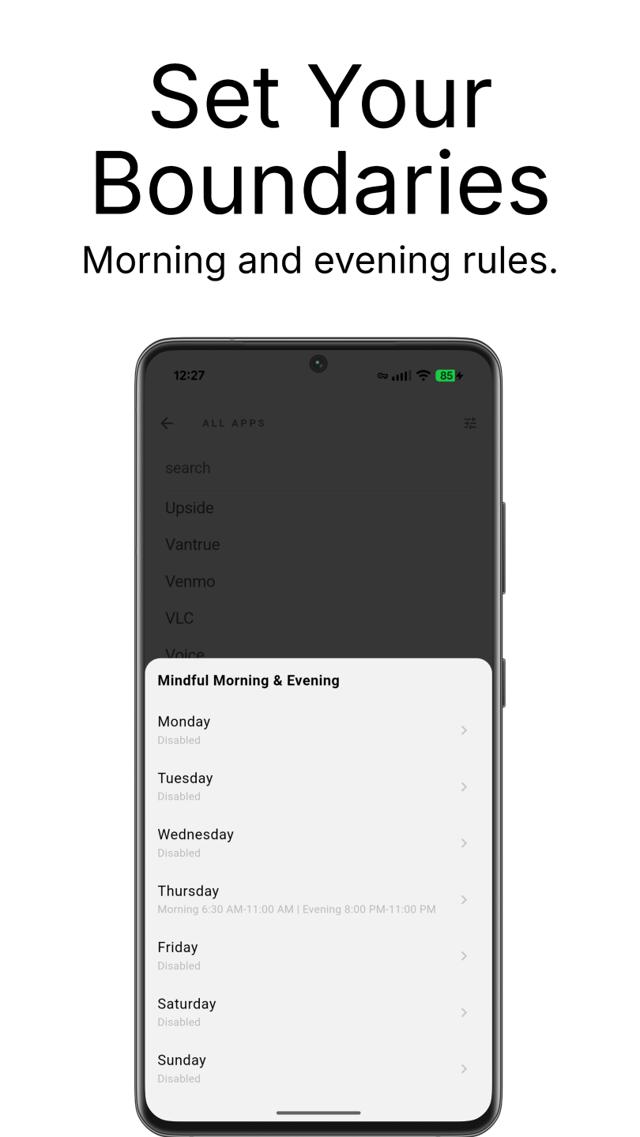
Set Your Boundaries
Morning and evening rules.
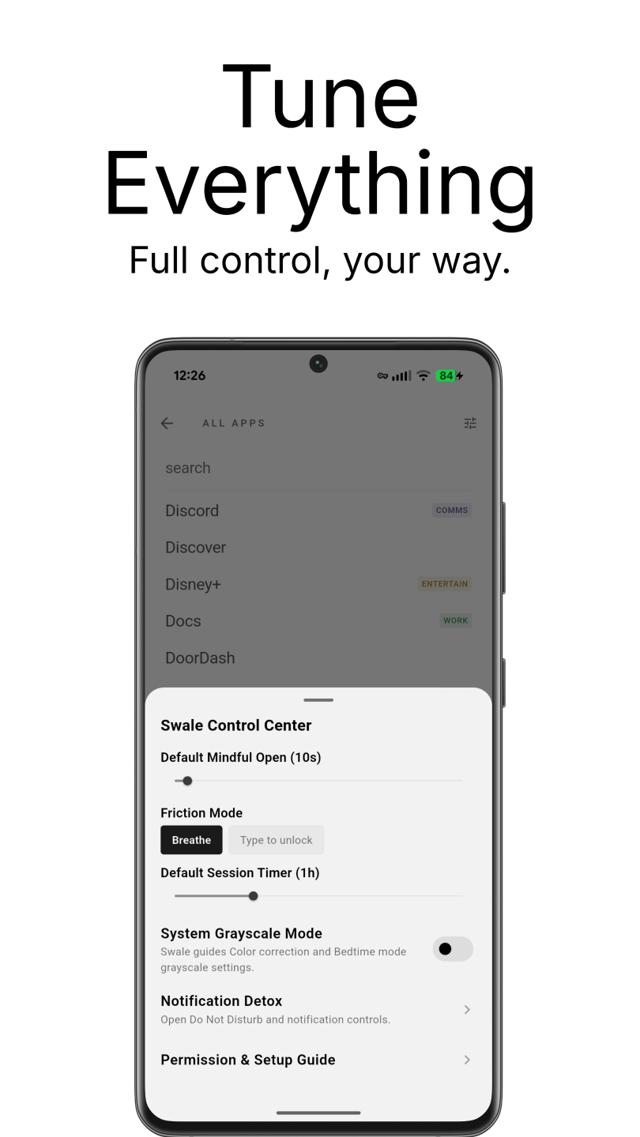
Tune Everything
Full control, your way.
Features
Mindful Delays
5–120 second breathing pause or type-to-unlock before opening distracting apps. A moment of friction that changes everything.
Universal Enforcement
Blocks restricted apps even when opened from notifications, share intents, or recent apps — not just from the launcher.
Notification Filter
Choose which apps may reach you. Everything else is quietly held back so your home screen stays calm — processed entirely on-device.
Focus Sessions
Block all brainrot apps for 25 minutes to 3 hours. One tap to enter deep focus with a countdown on your home screen.
Routines
Save one-tap modes like “Sleep” or “Work” that block a set of apps and switch on grayscale together. Tap again to leave — nothing you set by hand is touched.
Blocking Schedules
Name a schedule like “Focused Work”, pick the days and hours, and hard-block the apps that derail you — automatically.
Screen Time Tracking
7-day usage chart with daily breakdown, per-app stats, and week-over-week trends. Pulled from Android UsageStats — never leaves your phone.
Weekly Mindful Digest
See how many distracting opens you resisted this week, your resist rate, and a 7-day trend — a quiet record of the habit you’re building.
Per-App Controls
Custom delays, session timers, daily usage limits, and timed blocks for every app individually.
Streak Tracking
Days since you last opened each brainrot app, displayed on the home screen. The number that changes how you feel about opening it.
Folders
Group apps into named folders to declutter your list. Out of sight, out of mind — the way minimalism should work.
Smart, Editable Categories
Auto-labels every app — WORK, COMMS, ENTERTAIN, BRAINROT — and you can re-tag any app to change exactly how Swale treats it.
System & Per-App Grayscale
Drain the color dopamine across your whole phone, or only from your most tempting apps. Your phone becomes a tool, not a slot machine.
Website Shortcuts
Add any site to your app list and open it straight from the launcher — no extra icons, no clutter.
Reassignable Slots
Long-press any home shortcut to point it at a different app. Your home screen, arranged exactly your way.
Mindful Windows
Set gentle morning and evening friction windows for any day of the week. Automate your digital boundaries.
Distraction-Free Notes
Swipe right from home for a private, on-device notepad. Auto-saves as you type. Zero cloud.
Progressive Friction
The more you try to open distracting apps, the longer the pause. Builds resistance where you need it most.
Home Widgets
Add any Android widget — weather, calendar, music — directly on your minimalist home screen, with live previews.
How we compare
Everything you love about a minimalist launcher — and the things only Swale does. Free.
Feature
Swale
min. phone
Price
Text-based, icon-free app list
Rename any app
Folders to declutter the list
Hide apps
Website shortcuts
Reassignable home slots
Named blocking schedules (day + time)
Notification filter
Per-app monochrome
Open-delay before distracting apps
Smart auto-categories that drive friction
One-tap Focus — block every brainrot app
One-tap Routines — block-set + grayscale modes
Weekly mindful digest (opens resisted, resist rate)
Streaks — “12 days without TikTok”
Native themed home widgets
No Accessibility Service required
Everything processed on-device
Yes — completely free, no trial, no paywall, no ads. Everything you’d normally pay for in a minimalist launcher is included.
No. Swale matches the core of what minimalist phone does — text list, folders, blocking schedules, notification filter, monochrome, hidden apps, website shortcuts — and adds smart category friction, one-tap Focus, streaks, and a breathing pause on top.
Swale understands your apps. It auto-sorts them into Brainrot / Work / Comms and applies the right friction automatically, so you don’t have to configure each app by hand. The mindful pause (breathe or type “I choose to open Instagram”) is more intentional than a plain countdown.
No Accessibility Service — the permission that gets launchers pulled from the Play Store. The notification filter uses Android’s dedicated notification API, and everything is processed on your device. Nothing about your apps or notifications ever leaves your phone.
That’s exactly what it targets — the reflex opens, the doomscrolling, the infinite feeds. Friction before distracting apps, a calm grayscale home, and notifications that no longer yank your attention. Productive time — work, messaging, learning — is never penalised. The goal is an intentional phone, not a smaller number.
Pricing
I built Swale to fix my own phone habits and figured I’d share it. No ads, no paywall, no venture-backed growth funnel. Just a personal project that might help you the way it helped me.
No ads, ever
No tracking, no data sold
No trial, no upsells, no paywall
Open source plans, transparent roadmap
If Swale ever needs to cover costs, I might introduce a paid tier for new features — but what you use today will always stay free.
One last thing
Break the reflex. Protect your dopamine baseline. Get your phone — and your focus — back.
Free · no ads · no data sold